Find your face shape
See how your forehead, cheekbones and jaw form your outline. Use your face shape to narrow down haircuts and frames.
One photo. Get to know your features.Try it now
Discover your face shape, symmetry and proportions. Unlock your score, full report and personal styling previews.
Face shapeOval
Length to cheekbone width 1.24
JPG · PNG · WEBP
Explore your face shape, symmetry and proportions on your own photo. See how the details come together, then use them to choose the features you want to bring forward.
See how your forehead, cheekbones and jaw form your outline. Use your face shape to narrow down haircuts and frames.
Compare both sides of your brows, eyes, lips and jaw. Discover the balance and subtle details that give your face its character.
See your mouth, nose and lip proportions beside the golden ratio. Follow the photo markings to understand how your features relate.
Explore your facial thirds and eye spacing. Use the layout to compare fringe placement, hair volume and the shape of your frames.
See the angles of both eye corners up close. Compare eyeliner directions and frame shapes that draw attention to your eyes.
Get a personal view of your features, explore your full report, and see new looks on your own face.
Unlock your overall score and standout features in the full report, with separate results for symmetry, proportions, eye corners and jawline.
Find your face shape and see how your forehead, cheekbones and jaw form its outline.
Explore your eyes, brows, nose and lips on annotated portraits, so the numbers connect to the face you recognize.
Your features, in focus
A full-report example showing face shape, proportions and standout features.
Follow your results from face shape and symmetry to eye spacing, lip proportions and the balance of your lower face.
See your own photos with close-up annotations and charts that make each proportion easy to read.
Find hair, frame and makeup ideas, then choose the looks you want to try first.
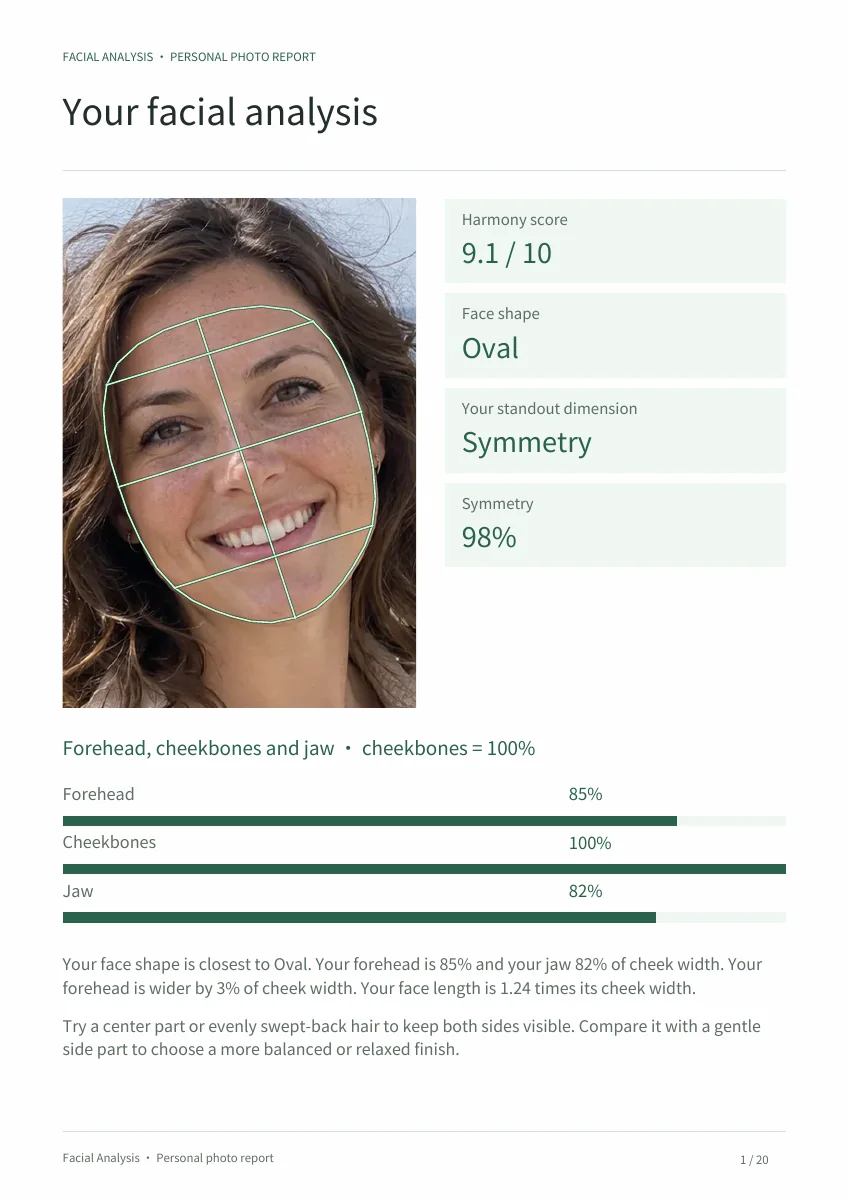
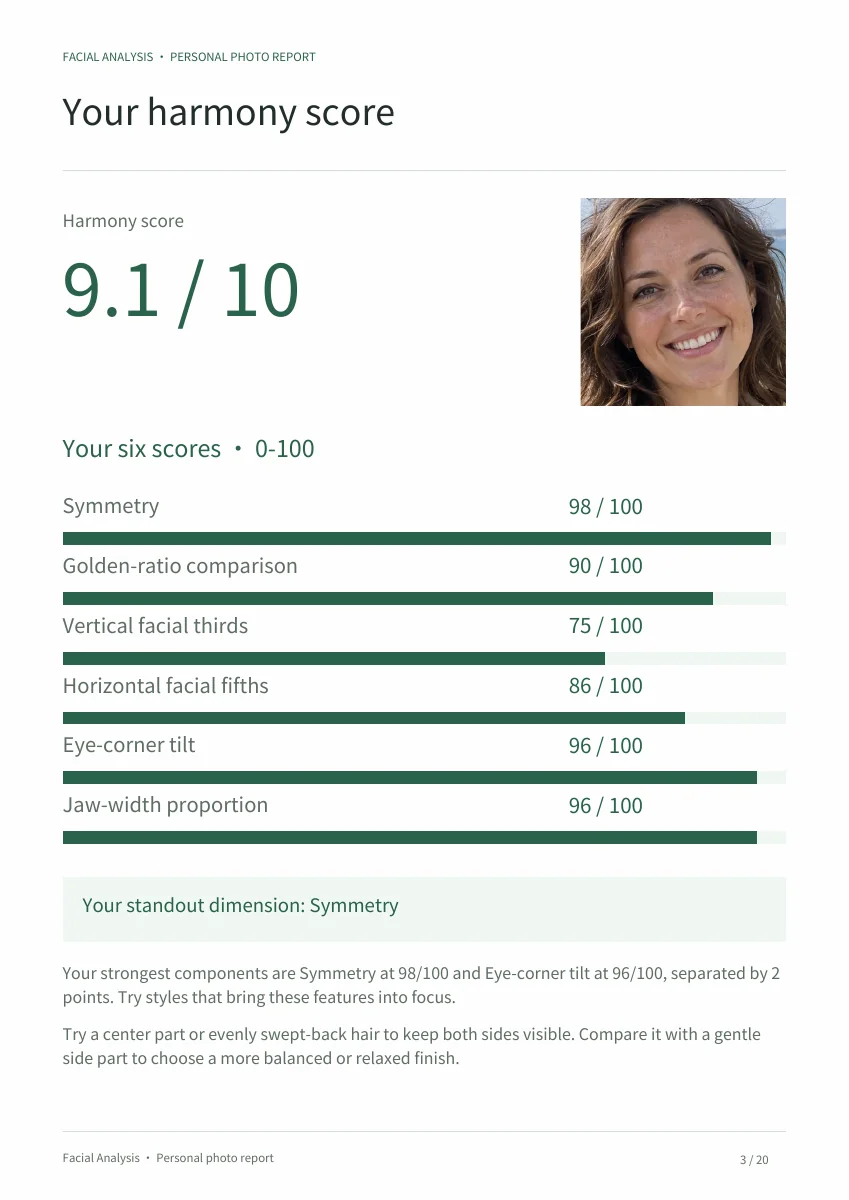
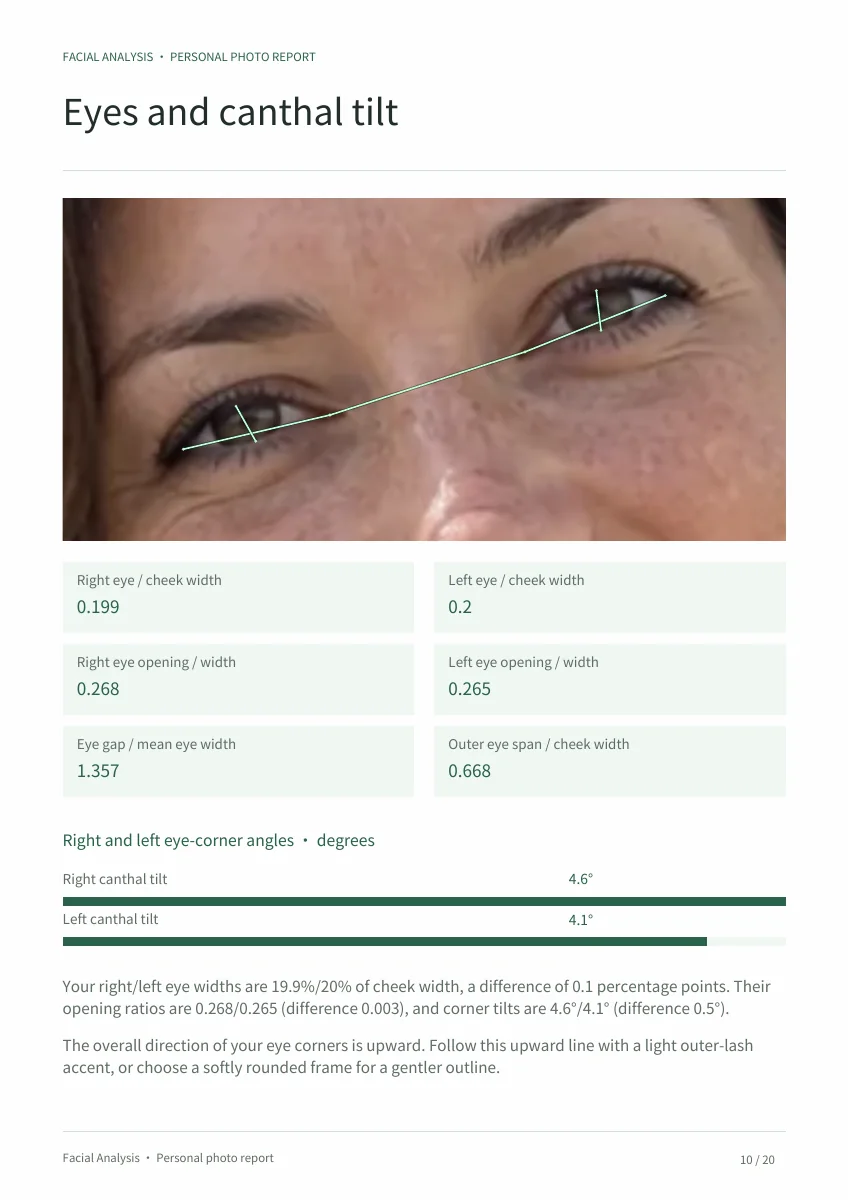
Your report, page by page
Personal results, annotated portraits and styling choices across 20 pages.
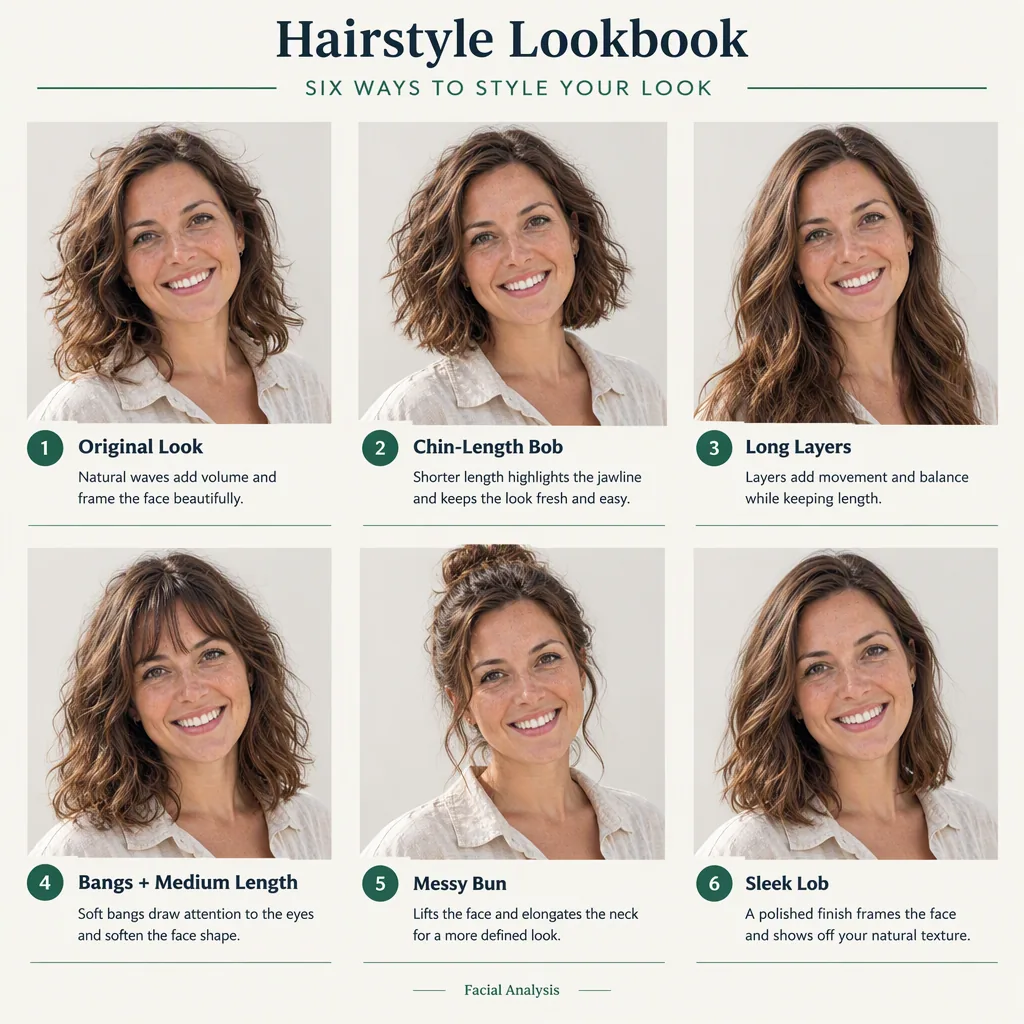
Compare five hairstyle options on your own face, from changes in parting and volume to a different silhouette.
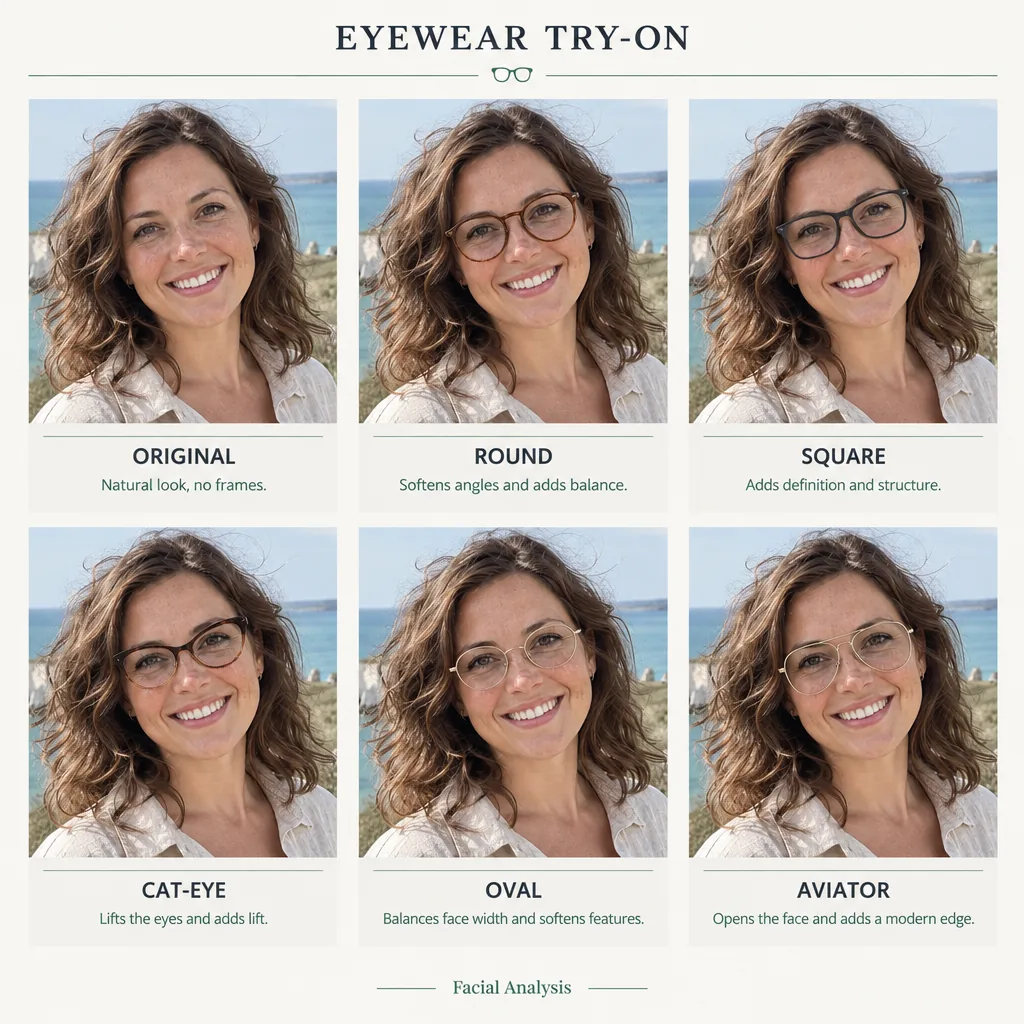
See round, angular and softly curved frames on the same photo, then shortlist the shapes you like.
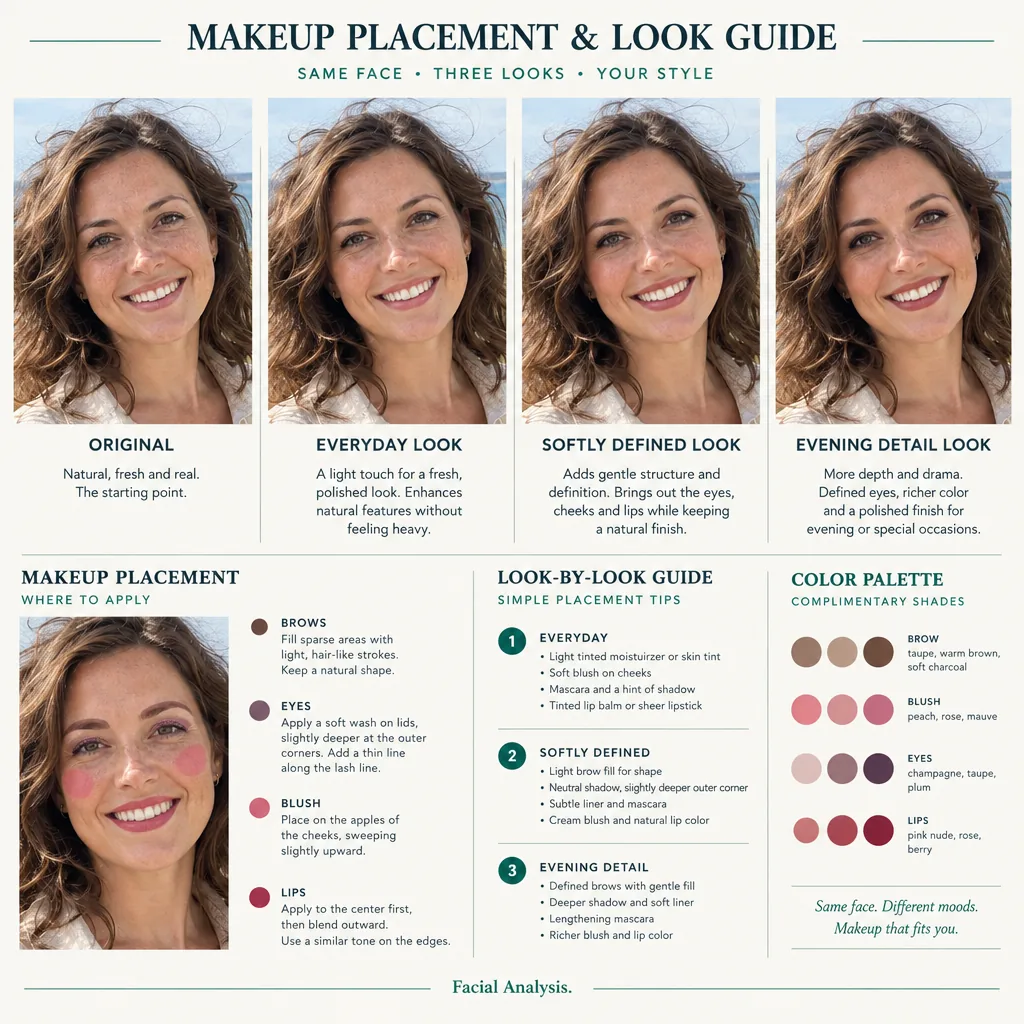
Compare subtle, defined and evening makeup, with placement ideas for brows, eyes, cheeks and lips.
Same face, new possibilities
Preview hairstyles, glasses and makeup while keeping your own features in view.
Choosing a haircut, a new pair of glasses or a makeup look? Start with your outline, the balance around your eyes and the proportions that bring your features together.
Find your face shape, then explore hair lengths, layers and frames that work with its outline.
See the width and taper of your lower face. Compare swept-back hair with softer ends around the jaw.
Browse annotated analyses and hairstyle, eyewear and makeup previews. Then explore the same possibilities with your own photo.
What the free scan and full report include, how to read the score, and how to get a useful result from your photo.
Facial Analysis helps you understand your features from one photo. Start with three free results: face shape, symmetry and facial thirds. The full report reveals your score out of 10, all 40 analyses, annotated portraits and practical ideas for hair, glasses and makeup.
Sign in to see your face shape, symmetry and facial thirds for free. One $15.99 purchase unlocks your overall score, all 40 analyses, a 20-page PDF, an AI visual analysis and three styling lookbooks for the same photo. Return to your results in My analyses.
Your full report reveals your score out of 10 and all 40 facial analyses, including the three free results. The 20-page PDF includes photo annotations, feature close-ups, a score breakdown and nine styling suggestions. Your purchase also includes an AI visual analysis and hairstyle, glasses and makeup lookbooks made from your photo. Generate your looks, then download the PDF again to include them.
Your full report includes a score out of 10 and its breakdown across symmetry, golden ratios, facial thirds and fifths, eye tilt and jawline. Read each result beside your annotated photo to see what contributes to the score. Your strongest feature highlights the highest-scoring area.
The analysis measures the facial proportions visible in your photo. A clear, front-facing image with a relaxed expression and even lighting gives the most useful result. Compare the annotations with your original photo, and keep the camera angle and distance consistent when comparing two scans.
Use a recent JPG, PNG or WebP under 10 MB with one person facing the camera at eye level. Include the whole forehead and chin, move hair away from the outline, and remove glasses that hide the eye corners. Keep a relaxed, closed-mouth expression and use soft, even light. Avoid beauty filters, heavy shadows, tilted heads and close wide-angle selfies. Step back from the camera and crop afterwards if needed; changing camera distance can alter the apparent nose size and face width.
The scan compares face length with cheekbone width, then considers forehead and jaw widths. It chooses the closest of six outlines: oval, round, square, heart, oblong or diamond. Many faces fall between two categories, and a small change in pose can move a borderline result. No category is the best face shape. Treat the label as a way to narrow down haircut and frame options, then consider hair texture, comfort and the features you want to emphasize.
Head angle, expression, camera distance and lighting change the proportions visible in a photo. For a useful comparison, use the same camera position and distance, look straight ahead, relax your expression and choose even light. Compare the individual measurements and photo annotations to see which readings changed.
Use your portrait to compare five hairstyles, five frame shapes and three makeup looks. Each lookbook focuses on styling around your own features, helping you compare hair length and volume, frame contours, or makeup placement and color. Save your favorites to discuss with your stylist or optician.
After you confirm the upload, your photo and analysis are saved privately. Use a photo of yourself or an adult who has given you permission. You can download or delete your results, and access lasts 30 days from upload. Your photos are not published as examples.
It compares three proportions with the 1.618 reference: mouth width to nose width, the lower-face split, and lower-lip to upper-lip height. The report shows your actual values and marks the measured areas on your photo, so you can see how each feature relates to the others.
Canthal tilt describes the angle from the inner to the outer corner of your eye. An upward angle means the outer corner sits higher; a downward angle means it sits lower. The report shows the angles for both eyes. You can use the eye diagrams when comparing eyeliner direction or the upper edge of a frame.
Sign in and open My analyses to revisit your saved photos and results. Unlocked reports include the PDF download and AI analysis and styling images. After generating a new styling preview, download the PDF again to include it. Save your results within the 30-day access period. You can delete an analysis from its result page.
This is a facial-proportion score out of 10. Use its breakdown to compare the measured features in your photo. It does not provide a PSL rating or a population percentile.
Try a clear photo with one face looking straight at the camera. Include the forehead and chin, move hair away from the outline, and remove glasses that cover the eyes. If the scan still cannot finish, try again or choose another photo before purchasing.